Ableton/Live/UG/29 Audio Effect Reference/10 Corpus
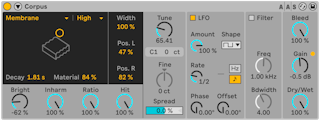
- Corpus simulates seven kinds of resonant objects, built with Applied Acoustics Systems using physical modeling.
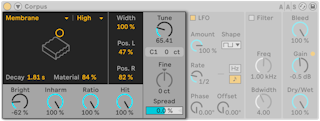
- Resonance Type:
- Beam — beams of various materials and sizes
- Marimba — a beam tuned like arch-cut marimba bars
- String — strings of various materials and sizes
- Membrane — a rectangular membrane such as a drum head
- Plate — a flat rectangular plate
- Pipe — a tube open at one end, with a variable opening at the other
- Tube — a tube open at both ends
- Resonator Quality — fewer overtones (Eco) for less CPU, more (High) for richer resonance; not for Pipe or Tube
- Decay — internal damping and so decay time
- Material — how damping varies with frequency: low values let lows ring longer (wood, nylon, rubber), high values let highs ring longer (glass, metal). Pipe and Tube show Radius instead: a wider tube rings longer and brighter, and at extremes changes pitch.
- The X-Y controller also sets Decay and Material/Radius.
- Bright — level of higher frequencies; not for Pipe or Tube
- Inharm — squeezes (negative) or stretches (positive) the harmonics; not for Pipe or Tube
- Opening (Pipe only) — 0% closed at one end, 100% open at both
- Ratio (Membrane and Plate) — proportions of the x and y axes
- Hit — strike point, from center (0%) toward the edge; not for Pipe or Tube
- Width — stereo spread of the left and right resonators, mono at 0%
- Pos. L / Pos. R — where each resonator is "listened to", from center toward edge; Pipe and Tube are always heard at the open end
- Tune — resonator frequency in Hz, or coarse offset when MIDI Frequency is on in the sidechain
- Fine — fine offset in cents for MIDI Frequency
- Spread — detunes the two resonators in opposite directions
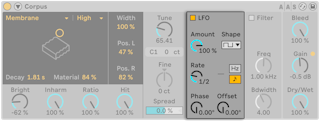
- An LFO modulates the resonant frequency; Amount sets how much.
- Rate — in Hz or synced to tempo
- Waves — sine, square, triangle, saw up, saw down, and stepped or smooth noise
- There are two LFOs, one per channel:
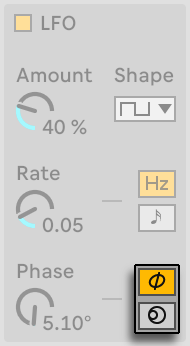
- Phase — same rate, offset in degrees; 180 is fully opposite, 0 or 360 in step
- Spin (Hz mode only) — runs the two at different rates
- Neither affects the noise waves.
- The LFO Stereo mode icons choose Phase or Spin in Hz mode.
- Offset (synced mode) — moves the LFO's start point
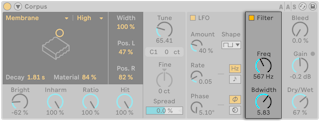
- Filter switches a band-pass filter on the output; Freq sets its center and Bdwidth its width.
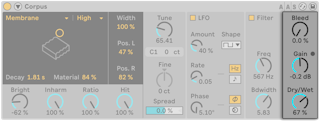
- Bleed — mixes in some of the unprocessed signal, which restores highs lost at low tunings or low quality; off for Pipe and Tube
- Gain — output level. A built-in limiter engages when the level is too high, shown by the LED next to Gain.
- Dry/Wet — balance of dry input and processed signal. Turning it down stops new input from being processed but lets current resonances ring.
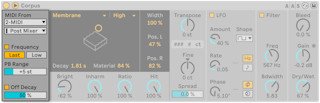

- The title bar button opens the sidechain, which lights while it is active. Its MIDI From choosers pick a MIDI track and tapping point.
- Frequency — incoming notes tune the resonance. Last/Low picks the last or the lowest held note; Transpose and Fine offset it; PB Range sets pitch bend range in semitones. With Frequency off, Tune sets a fixed frequency in Hz, shown with its MIDI note and cents below.
- Off Decay — Note Off damps the resonance; its slider sets how much. At 0% only Decay matters, like a marimba or glockenspiel; at 100% Note Off cuts the sound at once.