Ableton/Live/UG/29 Audio Effect Reference/09 Compressor/01 Sidechain Parameters
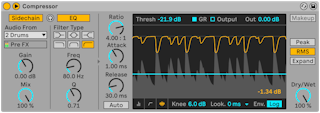

- The title bar button unfolds the sidechain controls. A sidechain lets another signal, or one frequency band, decide when to compress.
- Left side, external:
- Sidechain on — choose any internal routing point as the trigger
- Gain — trigger level only; the sidechain is never heard
- Dry/Wet — 100% triggers only from the sidechain, 0% ignores it
- Automatic Makeup is unavailable with an external sidechain.
- Right side, sidechain EQ — triggers from one frequency band, of this track or of the external source.
- The headphones button between them plays only the sidechain signal, to hear what drives the compressor.