Ableton/Live/UG/29 Audio Effect Reference/04 Auto Shift/01 Input Section
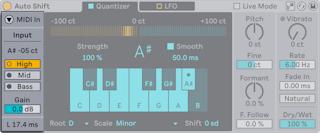
- Auto Shift takes both audio and MIDI input.
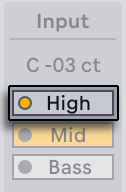
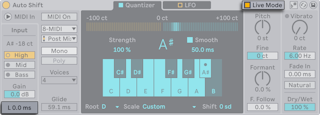
- Input Pitch shows the detected pitch in notes and cents.
- Pitch Range — High, Mid or Bass, to match the source; each has an LED that lights when the input falls in its range. Each range has a different latency.
- Input Gain — −24 to +24 dB
- The Latency Readout shows latency in ms. Live Mode in the title bar lowers latency for performance, at the cost of small glitches at note starts and fast pitch changes.
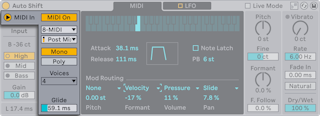
- MIDI input corrects pitch to notes from another MIDI track instead of to a scale.
- MIDI In shows the MIDI Input panel; MIDI On turns MIDI input on and swaps the Quantizer tab for the MIDI tab.
- External Source picks the track; Tapping Point takes the notes before (Pre FX) or after (Post FX, Post Mixer) that track's MIDI effects.
- Voice mode:
- Mono — one note at a time; Glide sets how long overlapping notes take to slide
- Poly — up to 2, 4 or 8 voices (Voice Count), for harmonies
- With MIDI input on, Auto Shift is silent unless notes arrive.