Ableton/Live/UG/29 Audio Effect Reference/03 Auto Pan-Tremolo
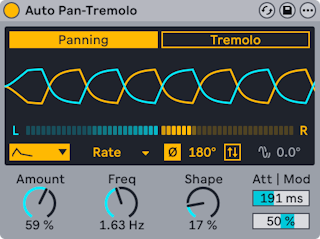
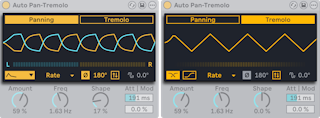
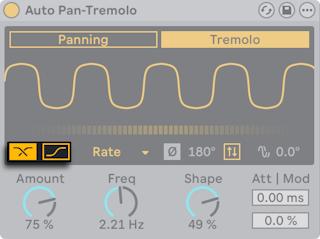
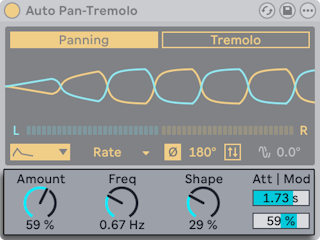
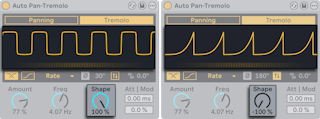
- Auto Pan-Tremolo uses LFOs to move a signal across the stereo field or vary its level: auto-panning, tremolo and gating.
- Modes:
- Panning — two LFOs shift level between left and right
- Tremolo — one LFO varies level
- The display shows the wave and, below it, the live pan position or level.
- Waveform — Sine, Triangle, Shark Tooth, Saw Up, Saw Down, Square, Random, Wander, S&H
- Time modes — Rate (Hz), Time (100 ms to 200 s, for long cycles), Synced, Dotted, Triplet, 16th
- Stereo offset:
- Phase — offsets the left and right waves in degrees; 180° is fully opposite
- Spin — runs the two channels at rates that differ by a percentage
- Random, Wander and S&H allow Phase only.
- Phase Offset, in the beat-based time modes, moves each LFO's start against the beat grid. With Random, Wander or S&H it widens the stereo spread instead.
- Invert flips the wave. With ramp waves, inverted gives ducking and normal gives gating.
- Tremolo-only options:
- Harmonic — splits the signal at a fixed 600 Hz and modulates highs and lows in alternation
- Vintage — adds a non-linear curve for a warmer, grittier tremolo
- Controls below the display:
- Amount — modulation depth
- the rate control, labeled Freq, Time or Rate depending on time mode. Amount and rate are shared by both modes.
- Shape — in Panning, pushes the waves toward their limits for harder switches between channels; in Tremolo, rounds or sharpens the peaks. At the extremes it makes ramps for gating (Invert off) or pumping (Invert on).
- Attack Time — how long after a transient the modulation reaches full depth, so attacks stay centered or keep their punch
- Dynamic Frequency Modulation — louder input speeds up the LFO (positive) or slows it (negative)