Ableton/Live/UG/26 Automation/06 Creating Automation Envelopes/01 Adding Automation Envelope Breakpoints
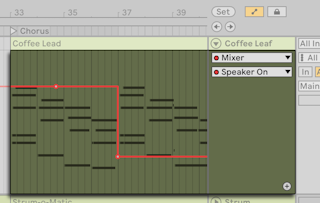
- Select the parameter, then click the dashed line to add the first breakpoint; the line turns solid. Drag before releasing to set the value, holding
Shift for fine control. Double-click away from the line to add a breakpoint there. - Breakpoints snap to the grid; hold
Cmd (Mac) / Alt (Windows) to place them freely. - Values show on hover and while dragging. Right-click the line → Add Value to place a breakpoint at an exact value.
- On/off and other stepped parameters get stepped envelopes instead of slopes.
- Keyboard entry is covered in Ableton/Live/UG/41 Accessibility and Keyboard Nav.