Ableton/Live/UG/24 Plug-Ins/04 Audio Units Plug-Ins
- Audio Units run on macOS only and behave much like VST plug-ins.
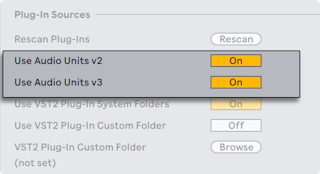
- To activate them, press Activate under the browser's Plug-Ins label, or turn on Use Audio Units in Plug-Ins Settings → Plug-In Sources.
- Some AU plug-ins have device modes, such as reverb quality, set only in the plug-in's own window.
- AU presets work like Live presets, though some are read-only and can't be moved in the browser. They are .aupreset files stored in (Home)/Library/Audio/Presets/(Manufacturer)/(Plug-in).