Ableton/Live/UG/24 Plug-Ins/01 Plug-Ins in the Device View/02 Plug-In Configure Mode
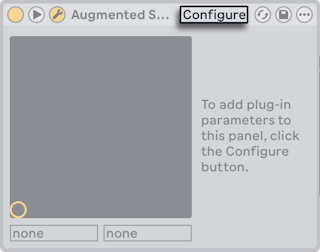
- Configure in the device header lets you choose which parameters appear in Live's panel: click a control in the plug-in window to add it (some need their value changed; some plug-ins don't expose every parameter).
- In Configure Mode, drag to reorder and press
Delete to remove; Live warns before removing a parameter with automation, envelopes or mappings. Plug-ins without their own window can reorder but not delete. - The configuration is saved per instance in the Set. To reuse it, save the plug-in inside a Rack, or save it as a default configuration.
- Parameters can also be added without Configure Mode:
- tweaking a control in the plug-in window makes a temporary entry in the automation, clip envelope and X-Y choosers; editing or selecting it there makes it permanent;
- controls moved in the plug-in window while recording get automation and join the panel;
- in MIDI, key or Macro mapping mode, a control you move joins the panel, selected and ready to map.
- After that, a plug-in works like a Live device: MIDI mapping, moving and copying, clip envelopes, multiple I/O in track routing (Ableton/Live/UG/17 Routing and IO) and custom info text.