Ableton/Live/UG/23 Instruments and Effects/02 Using Devices/03 Live Device Presets
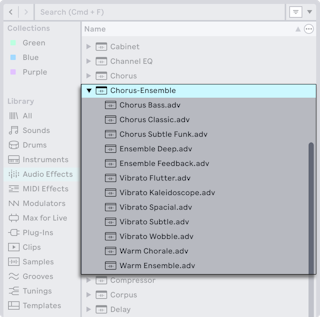
- Each device shows as a folder in the browser's content pane. The folder itself is the default preset (factory or your own default); the presets inside have custom settings. Presets come from the Core Library, Packs, or your own saves.
- Browse with the arrow keys: up and down to move, left and right to close and open folders,
Enter to load onto the selected track. Double-click or drag also work. - Live device files (Ableton/File/.adg, Ableton/File/.adv, Ableton/File/.amxd) can be dragged in from Finder or Explorer, though the browser is preferred.
- Drop a preset over an existing one in a device chain to replace it.