Ableton/Live/UG/19 Recording New Clips/03 Recording/04 MIDI Step Recording
19.3.4 MIDI Step Recording
- Step recording enters notes with the transport stopped, at your own pace.
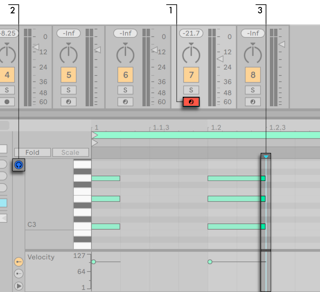
- Arm the track, turn on Preview in the clip's MIDI Editor, and click where recording should start.
- Hold notes and press the right arrow to enter them and move the insert marker one grid step; keep holding and press it again to lengthen them. Hold the notes and press the left arrow to delete them.
- The step arrows can be MIDI mapped.