Ableton/Live/UG/16 Launching Clips/07 Follow Actions/01 Looping Parts of a Clip
16.7.1 Looping Parts of a Clip
- To play a long clip once and then loop only its last eight bars:
- In Arrangement View, with Loop off, use Edit → Split to cut the clip where the loop should start.
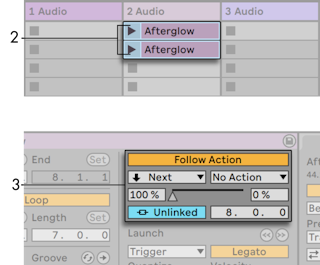
- Drag both pieces into adjacent slots of one Session track, forming a group.
- On the first clip set Follow Action Time to its length, Action A to Next at 100%, and Action B to No Action.
- Turn Loop on for the second clip.
- To play a long clip once and then loop only its last eight bars: