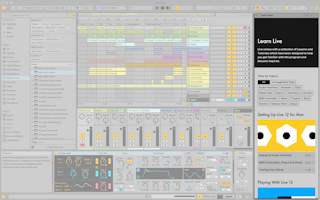
Ableton/Live/UG/02 First Steps/02 Learning About Live/01 Learn View
- The Learn View holds learning modules made of lessons. Each lesson has a video walkthrough, a short text on its key concepts, and links to related lessons.
- New modules arrive without a Live update. The view needs an internet connection; press Reload after reconnecting.
- It opens by default on first launch. Close it with the X button and reopen it from the Help menu or with
Cmd+Option+7 (Mac) / Ctrl+Alt+7 (Win). It returns to the last page visited until Live quits. - Filter lessons by topic, and mark a lesson finished with the Complete Lesson button; finished lessons show a check mark on the home page.
- The video player can open a picture-in-picture window that stays on top of every application, so you can follow along while working. Its Learn View → button closes it and reopens the Learn View.